 Brushee
Two minutes.
Actually two minutes.
Brushee watches your child brush, tells them where to go next, and turns the 2-minute routine into a game. A little monster with 16 teeth is the scoreboard.
Get it on Google Play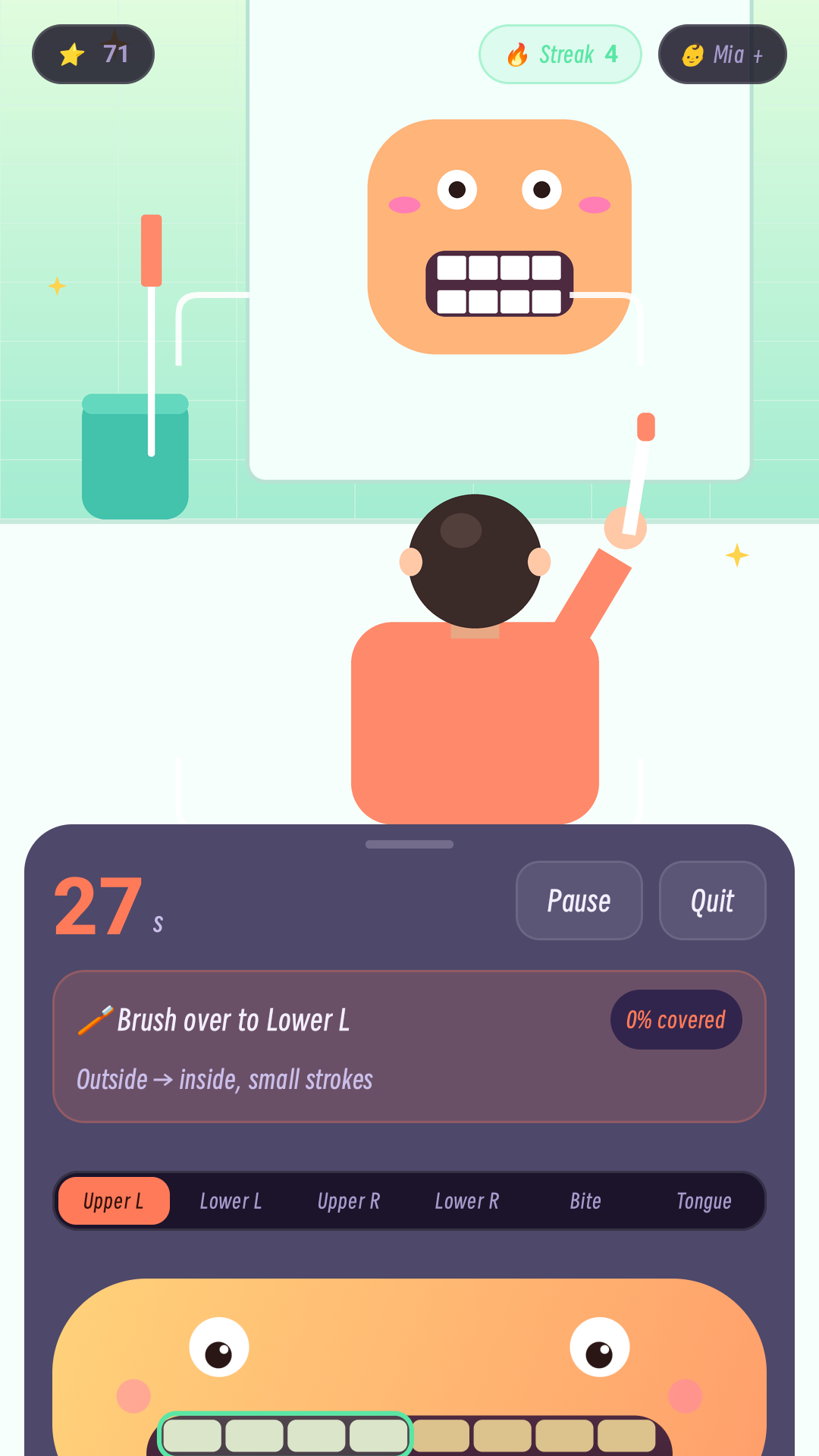
Not a timer. A coach.
A timer tells a child when to stop. Brushee tells them where to brush next — and shows them it's working.
A guided 2-minute routine
Four mouth areas, 30 seconds each, then the chewing surfaces, then the tongue. A six-step bar shows exactly where your child is.
It watches, right on screen
The front camera finds your child's face and toothbrush, zooms in so the teeth are easy to see, and gives a spoken nudge when it's time to move on.
The monster is the scoreboard
Each area your child finishes makes more of the monster's smile light up. Stars and streaks come from brushing every day — no separate reward chart needed.
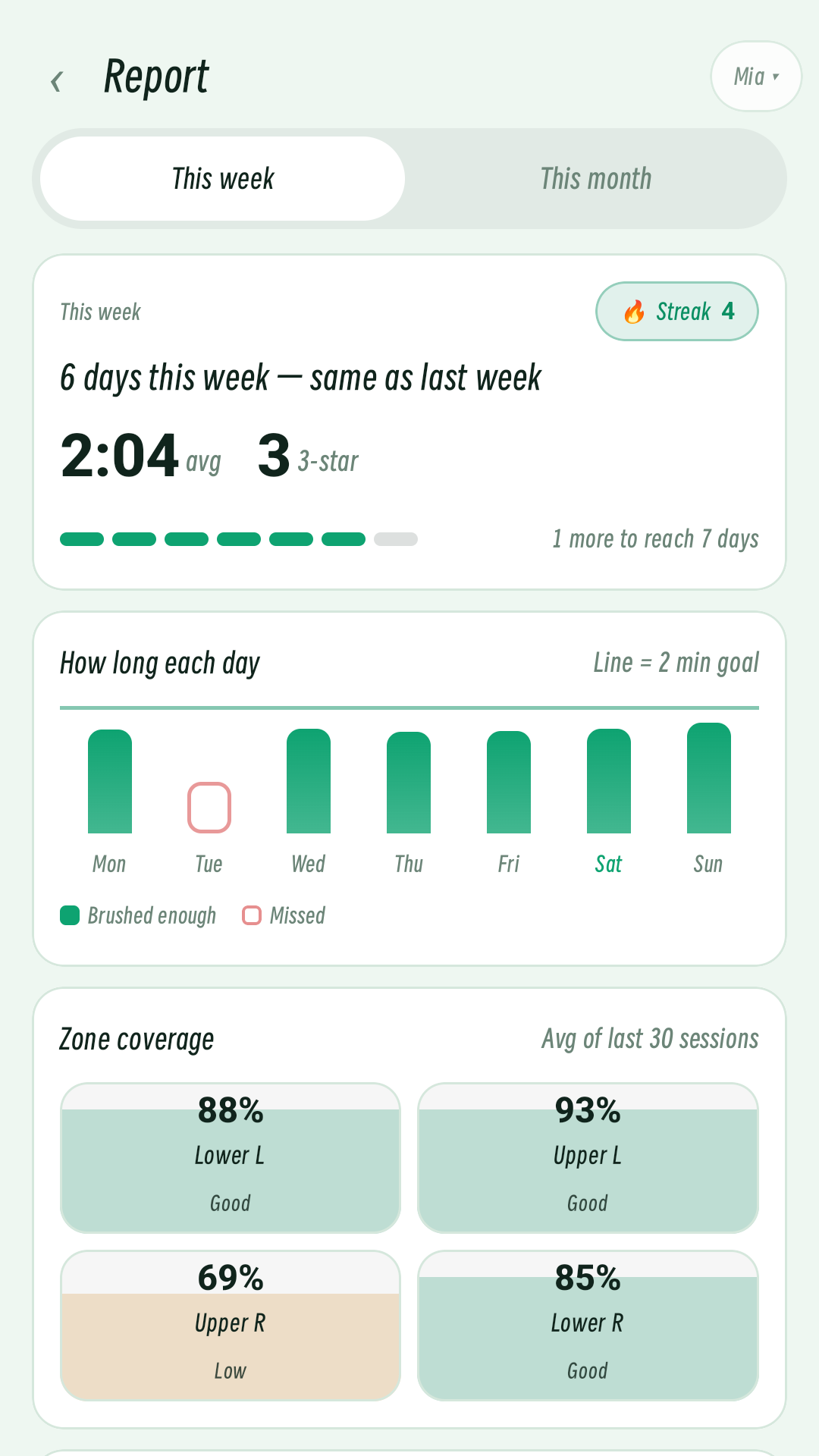
Know what actually happened.
A plain-language progress report: how many days your child brushed, how long they actually brushed, and which areas got less attention.
- ✓The full guided brushing routine — all four areas, chewing surfaces and tongue.
- ✓The monster, stars and streaks.
- ✓Basic report: this week and the last brush.
- ✓Daily reminders.
- ✓Longer trends and the full weekly report.
- ✓Brushing coach: why an area is weak, and what to do next.
- ✓Multiple children, each with their own stars and history.
- ✓Second reminder, certificates, recorded messages, CSV export and report sharing.
The core app is free. Plus is optional and starts with a free trial — the price and trial length are shown before you confirm anything.
The camera never leaves the phone.
A camera pointed at a child is a serious thing. So Brushee is built so it cannot send the picture anywhere.
No internet permission
Not "we don't upload" — the installed app has no internet permission at all. It has no way to send anything off the device.
Processed on-device
Face and toothbrush detection run locally. Camera frames are used for the current moment, then discarded — never recorded, never stored.
No account, no ads, no analytics
No sign-up, no advertising SDK, no device identifiers. Brushing history stays in the app's private storage and can be deleted at any time.
Settings → Apps → Brushee → Permissions.
You'll see camera and notifications. There is no internet permission to grant.
The Play listing's Data safety section is the other place to check.
Questions parents ask.
Is Brushee free?
Yes. The core app is free: the full camera-guided brushing routine (all four mouth areas, chewing surfaces and tongue), the monster, stars and streaks, a basic progress report, and daily reminders. Brushee Plus is an optional subscription for parent extras — longer trends, the brushing coach, multiple children, the weekly parent report, certificates, recorded messages, CSV export and report sharing. Plus starts with a free trial; the price and trial length are shown before you confirm anything, and you can cancel any time in Google Play.
What's included in Brushee Plus?
Plus adds the parent tools: longer trends, the full weekly report, the brushing coach (why an area is weak and what to do next), multiple children, a second reminder if a day is missed, milestone certificates, a recorded message for your child, CSV export of all records, and report sharing. The full brushing routine itself is free.
Does it work without internet?
Yes. Brushee doesn't request the internet permission, so it works the same on a plane, in a bathroom with bad Wi-Fi, or with mobile data off. Subscription checks are handled by the Google Play app, not by Brushee.
Do you record or upload my child's face?
No. Camera frames are processed on the device by an on-device model and discarded. They are never recorded and never uploaded. The app has no internet permission, so it has no way to send them anywhere.
What ages is it for?
Brushee is designed for children aged 6–12, and is meant to be set up by a parent or guardian. Younger children can use it with help; the routine itself is the same one dentists recommend for all ages.
Does it check whether teeth are clean?
No, and it doesn't claim to. Brushee guides the routine and shows which areas got time. It does not diagnose cavities or verify that every tooth surface is clean. For any oral-health concern, see a dentist.
Is there an iPhone version?
Not yet. Brushee is Android-only for now.
Why does it need the camera?
The camera is what lets Brushee see where the brush is and guide your child to the next area. Without camera access, the live guidance isn't available, but the rest of the app still works.
Two minutes, twice a day.
Brushee is on Google Play for Android. Free to use, no ads, no account. Plus is optional.
Get it on Google Play